
Blog
Your Complete FB Reels Downloader Guide – Tips and Tools for 2026

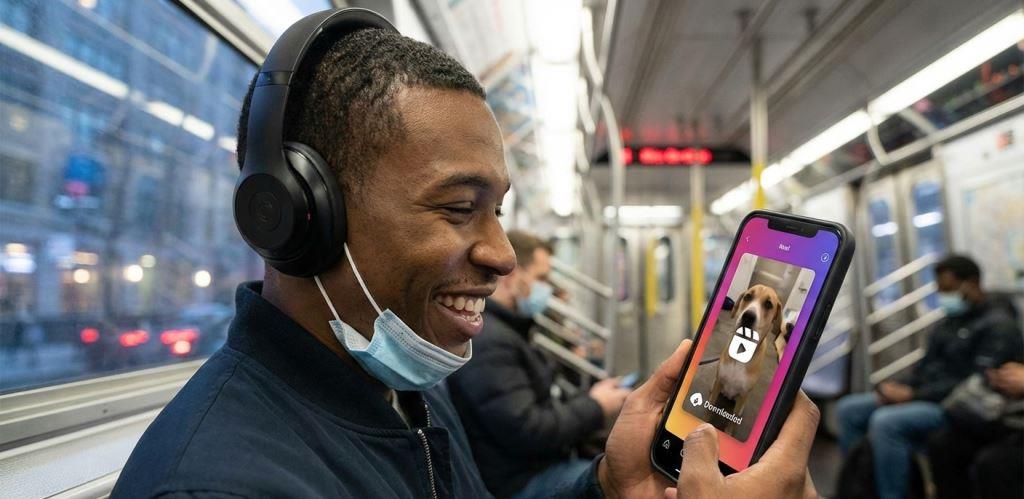
With short-form video dominating our feeds, the desire to preserve favorite content for offline viewing is stronger than ever. Whether it’s a workout routine, a cooking recipe, or a piece of digital art you want to reference later, the ability to download is invaluable.
This guide is your comprehensive resource for navigating the world of FB Reels downloader tools in 2026. We’ll move beyond the frustration of not finding a simple “save” option and explore the safe, effective, and legal methods to download the videos you love. You’ll learn about different types of downloaders, from quick online tools to powerful desktop software, and understand the crucial legal and ethical considerations. By the end, you’ll be equipped with the knowledge to choose the right tool for your needs and build a personal library of inspirational and entertaining content.
Why Download Facebook Reels? Beyond Just Offline Viewing
The primary reason users seek an FB Reels downloader is straightforward: to watch content without an internet connection. However, the utility goes much deeper. For content creators, students, and professionals, downloading Reels is a gateway to repurposing and inspiration. Imagine analyzing a competitor’s successful video format, saving a language lesson to study during your commute, or keeping a temporary art tutorial that might disappear from the platform.
A significant, often overlooked reason is content preservation. Social media is not a permanent archive. Creators can delete their videos, accounts can be deactivated, or platform glitches can make content vanish. When you find a Reel with meaningful advice, a memorable performance, or important information, downloading it is the only way to guarantee you’ll have access to it in the future. This is especially true for educational content, news clips, and other time-sensitive materials.
Finally, downloading allows for personalized organization and editing. Instead of being confined to Facebook’s algorithm and “Saved” folder, you can organize videos on your device by project, topic, or urgency. Some downloaders even facilitate basic editing or format conversion, letting you trim a clip or extract the audio to use as a podcast snippet. This transforms passive consumption into active content management.
User enjoying a downloaded Facebook Reel offline on a mobile device in 2026
The Legal and Ethical Landscape of Downloading
Before using any FB video downloader, it’s imperative to understand the rules. The golden rule is: only download content you own or have explicit permission to use. Downloading a video does not grant you copyright or ownership. The original creator retains all rights. Most tools and guidelines are designed for downloading public Reels for personal, offline viewing—this is generally considered fair use in many jurisdictions.
Using downloaded Reels for commercial purposes, reposting them as your own on other platforms, or editing them for redistribution without permission is a breach of copyright and platform terms. It can lead to legal consequences and account penalties. Responsible use means respecting creators’ work. If you plan to use a clip for anything beyond personal viewing, reaching out to the creator for permission is not just ethical; it’s essential.
How Downloaders Actually Work
Understanding the basic mechanics can help you choose a better tool and troubleshoot issues. An FB Reels downloader acts as a bridge. When you paste a public video URL into the tool, it sends a request to Facebook’s (Meta’s) servers. It locates the video file associated with that unique link. The downloader then retrieves that file and presents it to you for saving to your device. Reputable services do not store the video on their own servers; they fetch it directly from Meta’s content delivery network (CDN) in real-time, which helps protect user privacy.
This process explains why some videos fail to download. If a video is set to private, friends-only, or is removed by the uploader or Facebook, the link becomes invalid, and the downloader cannot access the file. Similarly, if Facebook changes its underlying code or link structure, downloaders need to update their systems to “parse” or understand the new format, which is why maintenance updates are so common.
Choosing Your Tool: Online Downloaders vs. Desktop Software
The two main categories of FB Reels downloader tools are browser-based online services and dedicated desktop applications. Your choice depends on your frequency of use, desired features, and comfort with software installation.
Online downloaders like FDown.net or SnapSave.app are incredibly popular for their convenience. You simply navigate to the website in your browser, paste the Reel link, and hit download, no installation required. They are perfect for occasional use and work across operating systems (Windows, Mac, ChromeOS) and devices, including smartphones. Their limitations include reliance on your internet browser and typically offering fewer advanced features like batch downloading or built-in video conversion.
Desktop software applications, such as dedicated video downloaders you install on your PC or Mac, offer more power and stability. They often support batch downloading (saving multiple videos at once), offer more consistent quality options, and have built-in basic converters or organizers. The trade-off is the need to install and occasionally update the software. Mobile apps, like DownVid for Android, fall into a similar category, offering a streamlined, one-tap experience directly on your phone.
| Criteria | Online Downloader | Desktop/App Software |
|---|---|---|
| Ease of Use | Extremely easy; no installation. | Requires download and installation. |
| Primary Platform | Any web browser (Chrome, Safari, etc.). | Specific operating system (Windows, Mac, Android). |
| Best For | Occasional, quick downloads. | Frequent use, batch downloads, advanced features. |
| Key Feature | Universal access, zero commitment. | Potentially faster speeds and more format options. |
Key Features to Look For in 2026
As you evaluate an FB Reels downloader, prioritize these features for the best experience:
-
High-Quality Output: The tool should download the video in the best available quality, ideally up to HD or 4K if the source provides it. Avoid services that heavily compress videos, making them blurry.
-
No Watermarks: A good downloader saves the original video file without adding its own logo or watermark onto the clip.
-
Privacy and Security: The service should explicitly state it does not store your downloaded videos or track your download history. Look for tools that process downloads anonymously.
-
Speed and Reliability: The download should process within seconds. Consistent updates from the developer (like those detailed on FDown.net) are a good sign the tool is maintained to work with Facebook’s latest changes.
Step-by-Step: How to Download Any Facebook Reel
The process is remarkably similar across most tools, whether online or an app. Here’s the universal method broken down.
Step 1: Copy the Video Link. Navigate to the Facebook Reel you want to save. Tap or click the Share button (usually a curved arrow). From the menu that appears, select Copy Link. This copies the unique URL of that specific Reel to your device’s clipboard.
Step 2: Use Your Chosen Downloader. Open your preferred FB Reels downloader tool. If it’s a website, go to the site in your browser. If it’s a desktop or mobile app, launch the application. Find the input field or box—it’s often prominently labeled “Paste URL here.”
Step 3: Paste, Process, and Download. Paste the copied Facebook link into the downloader’s input field. Most tools will automatically start analyzing the link. After a few seconds, the tool will present you with download options. You may be able to choose video quality (e.g., HD, SD). Select your preference and click the Download or Save button. The video file (usually in .MP4 format) will then be saved to your device’s default download folder.
A quick visual walkthrough of the download process can help solidify these steps.
Troubleshooting Common Download Issues
Even the best tools can hiccup. Here’s how to solve frequent problems:
-
“Link not supported” or “Video not found” Error: First, double-check that you copied the correct link from a public Reel. If the link is correct, the video may have been deleted or made private. Alternatively, the downloader service might be temporarily struggling with a new Facebook update. Try a different online tool as a test.
-
Downloaded File Has No Audio: This occasionally happens with Reels containing copyrighted music, as Facebook may serve the audio and video as separate streams. Some downloaders, like FDown.net, offer a separate “Download Video (No Audio)” button and a “Download Audio” button, allowing you to merge them later with a simple video editor.
-
Slow Download Speeds: This is typically related to your internet connection or temporary server load on the downloader’s side. Pause and restart the download, or try again later.
Advanced Tips and Creative Uses for Downloaded Reels
Once you’ve mastered the basic download, you can explore more advanced applications. For content creators and marketers, downloaded Reels are a treasure trove for market research and inspiration. You can analyze trends, study editing techniques, and understand audience engagement without being online. Tools that offer features to organize these downloaded references into mood boards or project folders are incredibly valuable.
Consider the power of repurposing your own content. Perhaps you posted a successful Reel and want to adapt it for YouTube Shorts or Instagram. Downloading your own video allows you to reformat it to different platform specifications, add new captions, or translate it for other audiences using editing software. Some advanced platforms, like AI Studios, even integrate downloading with AI-powered editing tools for dubbing and adding subtitles.
Finally, think about archiving and education. Teachers can save exemplary videos for classroom discussion (with proper attribution). Researchers can archive social trends. Individuals can build a personal knowledge base of DIY fixes, lectures, or art demonstrations. The key is to move from simply hoarding videos to curating a purposeful digital library that serves your specific goals.
A Featured Multi-Format Solution: Video Converter MP4
While many tools focus solely on downloading, a more versatile approach involves services that combine downloading with robust conversion capabilities. This is where a platform like video-converter-mp4.com provides distinct value. It understands that your need often doesn’t end with a downloaded file; you might need that video in a different format for editing, to play on a specific device, or to extract just the audio track.
Instead of using one tool to download and another to convert, an integrated service streamlines your workflow. For instance, after fetching a Facebook Reel, you could convert it to a lightweight MP4 for email, extract the MP3 audio for a podcast, or change the format for professional editing software. This eliminates compatibility headaches and saves significant time. When choosing any tool, considering its ability to handle the next step in your process is a mark of a savvy user. For a comprehensive tool that handles both downloading and versatile conversion, explore the resources at video-converter-mp4.com.
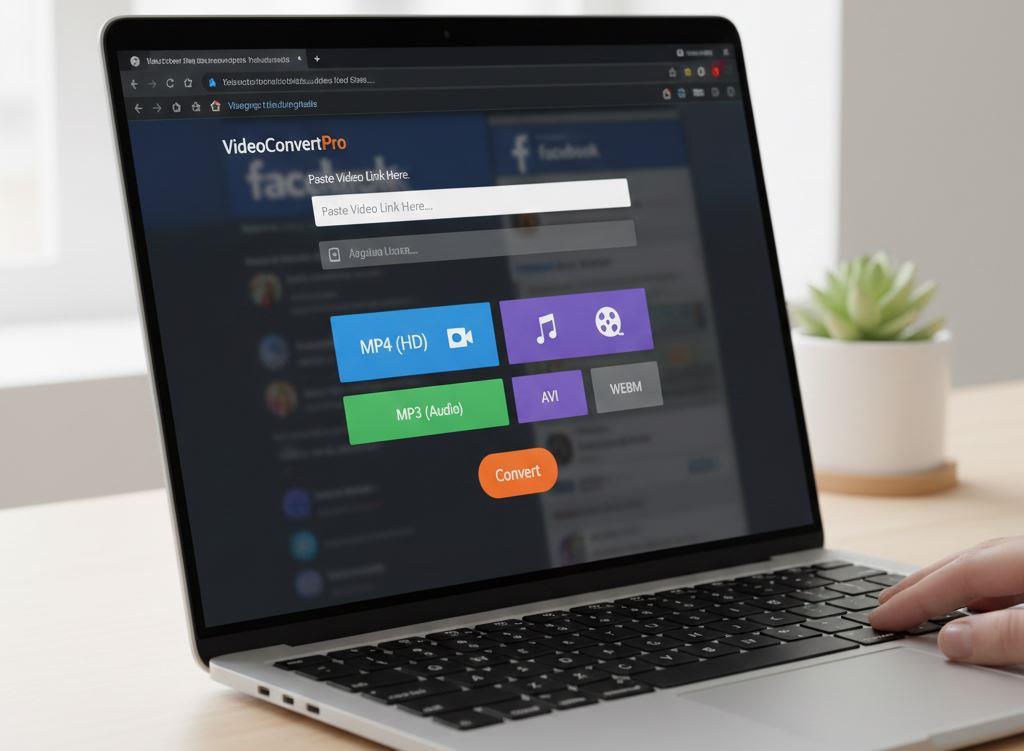
Advanced video converter interface showing multiple format options for FB Reels downloader
Download Responsibly and Build Your Digital Library
Navigating the world of FB Reels downloader tools in 2026 is about combining convenience with responsibility. You now have the knowledge to select tools based on key features like quality, privacy, and reliability, understanding the practical steps to save any public Reel, and most importantly, the ethical framework to do so respectfully. Remember that these tools empower you to preserve knowledge, spark creativity, and curate content on your own terms, but that power comes with the duty to respect intellectual property.
Start building your personal offline video library today. For the most versatile approach that combines easy downloading with powerful format conversion for any project, visit video-converter-mp4.com and discover a more efficient workflow.






How to Facebook Video Download 4k – Ultimate Guide 2026
Want to save your favorite Facebook videos in crystal clear 4K quality without losing detail? In 2026, high resolution content...

How to Utilize a Video Converter Video to MP4
Have you ever found the perfect online video, only to realize you cannot save or play it offline when you...

Master Facebook Video Download by Link: Essential Guide 2026
Ever watched a brilliant tutorial, a hilarious clip, or a precious memory on Facebook, only to find it vanished or...
-
 Blog1 year ago
Step-by-Step Guide: How to download Facebook Videos as MP4
-
 Blog2 months ago
Facebook Link Download Guide – Tips, Tools, and Techniques to save FB link videos 2026
-

 Web Resource2 months ago
Download Story Insta – Smart Tips and Safe Techniques to get Insta videos in 2026
-

 Web Resource2 years ago
Enhancing Your Video Web Content for Online Audiences
-
 Blog1 year ago
MP4 vs. MKV vs. AVI | Which Video Format is Best?
-
 Blog2 months ago
9 Best Facebook Video Downloader App Choices for 2026
-

 Blog2 months ago
Why a TopStep Certificate Plaque is the Perfect Recognition for Your Trading Achievements
-

 Blog2 months ago
Unduhan Video Facebook Guide – Expert Tips for 2026