
Blog
Master Facebook Video Download by Link: Essential Guide 2026

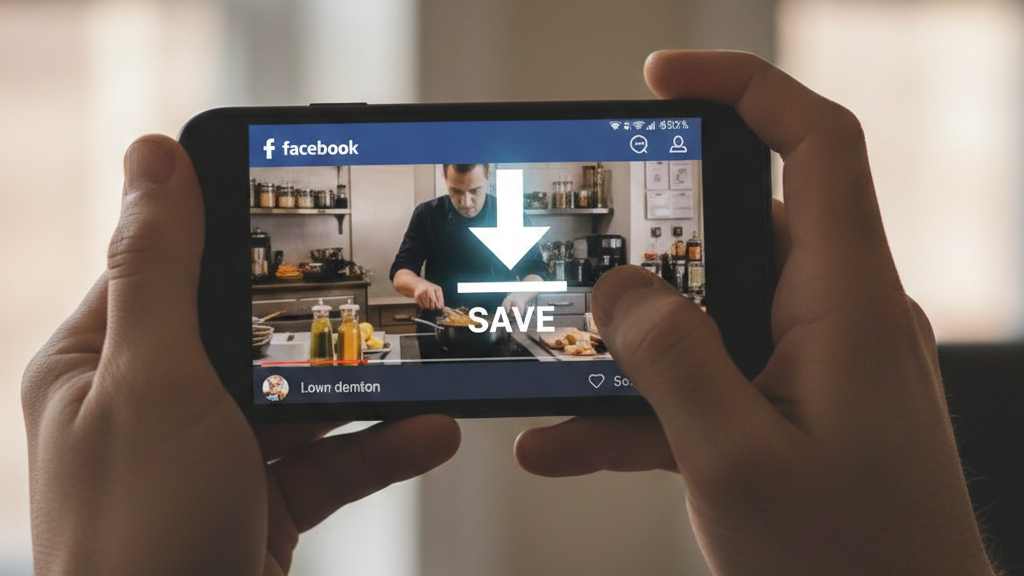
Ever watched a brilliant tutorial, a hilarious clip, or a precious memory on Facebook, only to find it vanished or impossible to save when you needed it most? You are not alone. With billions of videos consumed daily, the desire to download and preserve our favorite Facebook content for offline viewing, sharing, or personal archives is universal. Yet, the platform’s design intentionally makes this process less than straightforward. This comprehensive 2026 guide demystifies the entire process of facebook video download by link, equipping you with professional insights, safe practices, and the best tools available today. You’ll learn multiple reliable methods, understand crucial legal and security considerations, and discover how to ensure the highest video quality, transforming you from a casual viewer into a savvy content curator.
The Fundamentals of Downloading Facebook Videos
Before diving into the “how,” it’s essential to understand the “why” and the landscape. Facebook does not offer a native “Download Video” button for content you did not upload, primarily due to copyright protections, user privacy, and its business model that relies on engagement within the platform. However, the public nature of much of its content means that, with the right tools and knowledge, a facebook video download by link is entirely feasible. The cornerstone of almost every method is the video URL. Whether you’re using a web-based tool, a browser extension, or desktop software, the process begins with copying the unique link to the video post from your browser’s address bar or the “Copy Link” option in the video’s share menu.
Understanding video quality is another key fundamental. Not all downloads are created equal. A video might be available in resolutions ranging from standard definition (480p) to full High Definition (1080p) and even 4K on some professional uploads. The method you choose directly impacts the quality you can obtain. For instance, some basic workarounds only fetch a low-resolution version, while dedicated downloader tools can often access multiple quality streams, allowing you to choose the best available. It’s also worth noting what you cannot typically download: videos from private accounts (where you aren’t a friend or member), most in-feed advertisements, and live streams while they are still broadcasting.
Why Use a Dedicated Video Downloader Tool?
While there are manual browser tricks, using a dedicated online tool or software is the most consistent and user-friendly approach in 2026. These tools act as intermediaries. You provide the Facebook video link; their servers fetch the video data from Facebook’s content delivery network (CDN), and then provide you with a direct download link. Reputable services like video-converter-mp4.com,FDown.net and SnapSave.app emphasize that they do not host videos but merely facilitate access to the publicly available files on Facebook’s servers. The primary advantages are speed, convenience, and access to higher-quality formats. Many of these services are free, supported by non-intrusive advertising, and require no registration, making them accessible for everyone.
Legal and Ethical Considerations
Navigating the legality of downloading Facebook videos is crucial. As a general rule, downloading publicly available content for personal, offline viewing is widely considered acceptable. The ethical and legal risks arise when you repurpose that content, especially for commercial gain, without the explicit permission of the copyright holder. This infringes on intellectual property rights and violates Facebook’s Terms of Service. Always credit the original creator if you share a downloaded video in any public or semi-public forum. Furthermore, respect privacy. Do not attempt to download videos from private profiles or locked groups. A good practice is to use downloaded content as a temporary archive for your own viewing pleasure or as a backup of content you fear may disappear, not as a free library for your own projects. For transforming downloaded videos into new, original content, tools for editing and conversion, like those offered by Video Converter MP4, can be invaluable while helping you stay on the right side of fair use guidelines.
Step-by-Step Download Methods for 2026
In 2026, you have a spectrum of reliable methods for facebook video download by link, each suited to different devices and user preferences. From ultra-quick online tools to integrated browser helpers, the process can be as simple as copy-paste-click. The following sections break down the most effective techniques, ensuring you can save videos whether you’re on a Windows PC, Mac, Android phone, or iPhone.
Method 1: Using Online Video Downloader Websites (The Quickest Way)
This is the most popular and cross-platform method. Online downloaders work directly in your web browser and require no installation.
-
Copy the Video Link: On the Facebook post containing the video, click the three-dot menu or the “Share” button and select “Copy Link“.
-
Visit a Downloader Site: Open a new browser tab and navigate to a trusted service like video-converter-mp4.com.
-
Paste and Process: Paste the copied URL into the input box on the website and press the “Download” or “Submit” button.
-
Choose Quality and Download: The site will analyze the link and present available download options (e.g., Normal Quality, HD, 720p, 1080p). Select your preferred quality, and click the download link. The video will save to your device’s default “Downloads” folder.
Method 2: Leveraging Browser Extensions
For users who frequently download videos, a browser extension adds unparalleled convenience. Extensions like Video Downloader PLUS integrate directly into Facebook. Once installed, they typically add a download button directly onto the video player or in the video’s menu. When you see a video you want, you simply click that button, and the download begins instantly without the need to copy and paste links into a separate website. This method streamlines the process to a single click. However, it’s vital to only install extensions from official web stores (like the Chrome Web Store) and check reviews to avoid malicious software.
Method 3: Desktop Software Solutions
For power users who need batch downloading, scheduled downloads, or advanced format conversion, dedicated desktop software is the best choice. Programs like 4K Video Downloader, Allavsoft, and CleverGet support Facebook alongside hundreds of other sites. The workflow is similar: copy the Facebook video URL, paste it into the software’s interface, select your desired quality and format, and download. These tools often provide superior download speeds, the ability to pause and resume downloads, and advanced features like extracting audio (MP3) or downloading entire playlists. They are particularly useful for content creators and researchers who need to archive large amounts of video material systematically. When looking for a versatile tool that handles both downloading and post-processing, exploring a dedicated video converter and downloader suite can offer an all-in-one solution for your digital media workflow.
| Method | Best For | Ease of Use | Typical Max Quality | Platform |
|---|---|---|---|---|
| Online Websites | Occasional users, quick downloads, no installation. | Very Easy | HD / 4K (depending on source) | Any device with a browser. |
| Browser Extensions | Frequent users who want one-click convenience. | Easy | HD / 4K | Desktop browsers (Chrome, Edge, Firefox). |
| Desktop Software | Power users, batch downloads, format conversion. | Moderate | 8K (lossless, with premium tools) | Windows, macOS. |
Security, Safety, and Choosing the Right Tool
In the crowded landscape of online utilities, your security is paramount. When performing a facebook video download by link, you are often interacting with third-party websites and software, making it crucial to distinguish safe tools from potential risks.
Identifying Red Flags and Safe Practices
Many free online services are ad-supported. While ads are normal, beware of deceptive buttons. Never click on flashing “Download” buttons that appear before you’ve pasted your link or on pop-ups claiming you need to install a “codec” or “player.” These are almost always ad traps or malware sources. The real download button will appear after the site has processed your Facebook link. Furthermore, avoid websites that require you to complete surveys, provide an email address, or download an executable (.exe) file to access the video. A legitimate tool like those mentioned earlier will provide direct HTTP/HTTPS download links. As cybersecurity expert Stan Kats advises, ensure you have good antivirus software and be highly selective about the websites you use.
Evaluating a Downloader’s Reputation
Before trusting a tool, do a quick evaluation. Check how long the service has been operating. A site like FDown.net, which publishes detailed update logs stretching back years, demonstrates a commitment to maintenance and user feedback. Look for clear privacy policies stating they do not store downloaded videos or track user download histories. Read independent reviews from established tech publications (like PCMag) rather than relying solely on testimonials on the tool’s own site. For software and browser extensions, always download from the official developer website or verified app stores to avoid tampered versions.
The Importance of Format and Conversion Flexibility
The best download experience doesn’t end with an .mp4 file on your hard drive. Consider your end use. Do you need the video for a mobile device with limited storage? For editing in professional software? Or just the audio track as a podcast? This is where choosing a tool with conversion capabilities becomes a huge advantage. While many online downloaders offer fixed formats, desktop software often includes built-in converters to change the video’s codec, resolution, or file type. For maximum flexibility, using a specialized tool like a video converter after downloading can optimize your video for any device or platform, ensuring compatibility and saving space without sacrificing essential quality. You can learn more about optimizing video formats in our guide on choosing the best video conversion settings.
Featured Brand: Enhance Your Downloads with Video Converter MP4
While downloading a Facebook video is the first step, truly mastering your media often requires the ability to convert, compress, and edit it for your specific needs. This is where a comprehensive toolset becomes invaluable. Our integrated platform is designed to be the next logical step in your content workflow, offering far more than just a simple facebook video download by link.
Master Facebook Video Download by Link
Built for video consumers and creators in 2026, our tools address common pain points:
-
Post-Download Processing: Easily convert downloaded Facebook videos into a myriad of formats (MP4, AVI, MOV, MKV) optimized for smartphones, gaming consoles, editing suites, or social media platforms.
-
Quality Control and Compression: Reduce large HD video file sizes for easy sharing or storage without perceptible loss in quality, or upscale older videos for better viewing.
-
Audio Extraction: Instantly strip the audio from any downloaded video to create an MP3 file, perfect for saving music clips, interviews, or podcasts.
-
Batch Processing: Save immense time by converting or processing multiple downloaded videos simultaneously with consistent settings.
-
User-Centric Design: Featuring an intuitive interface that prioritizes a smooth workflow from download to final usable file, eliminating technical hurdles.
Think of a dedicated video downloader as your key to accessing content, and a robust converter like ours as your workshop for refining it. Whether you’re archiving educational lectures, curating inspiration for projects, or saving personal memories, this combination gives you complete control over your digital media. Explore the full potential of your downloaded videos by visiting our homepage to learn more about our features and capabilities.
Frequently Asked Questions (FAQ)
Can I download Facebook Reels, Stories, and Live videos?
Yes, but with caveats. Most modern downloader tools, have been updated to support Reels. Stories can often be downloaded if they are public and you are friends with the creator, using a similar link-based method. For Live videos, you can only download them after the live broadcast has ended and Facebook has processed the video for on-demand viewing.
Why does my downloaded video have no sound, or why does the download fail?
Audio issues are often due to copyright-protected music within the video. Some downloaders offer a specific “Audio Fix” or separate “Video with No Audio” button that reprocesses the file correctly. Download failures typically occur if the video is from a truly private account, the link was copied incorrectly, or Facebook has made a backend change that the downloader service hasn’t yet adapted to. Trying a different tool or checking the service’s update page (which often notes fixes for such issues) is the best course of action.
Is it possible to download videos in 4K or 8K quality from Facebook?
Yes, provided the original video was uploaded in that resolution. Tools like SnapSave.app and CleverGet specialize in fetching the highest available quality, including 4K and even lossless 8K from supported sources. The option for these ultra-high resolutions will appear in the quality selection menu of a capable downloader if the source video supports it.
How do I save a downloaded video to my iPhone or Android photo gallery?
The process varies. On Android, the video usually goes to a “Downloads” folder and can be moved to your gallery via a file manager. For iPhone, the process can be more involved. Using Safari, the download may go to your “Files” app. From there, you can open the video and use the Share button to select “Save Video,” which will transfer it to your Photos app. Some downloader sites offer specific iOS guides.
Mastering the art of facebook video download by link in 2026 empowers you to curate a personal library of content, safeguard meaningful digital moments, and work more efficiently with media. By choosing reputable tools, respecting copyright, and leveraging post-download processing software, you can navigate this space safely and effectively. The digital landscape is always evolving, but with the principles and methods outlined in this guide, you’re equipped to adapt and continue saving the content that matters to you.
Ready to take the next step and transform your downloaded videos into perfectly formatted files for any device or purpose? Explore the powerful conversion and editing tools available at Video Converter MP4 today and unlock the full potential of your video library.




How to Facebook Video Download 4k – Ultimate Guide 2026
Want to save your favorite Facebook videos in crystal clear 4K quality without losing detail? In 2026, high resolution content...

How to Utilize a Video Converter Video to MP4
Have you ever found the perfect online video, only to realize you cannot save or play it offline when you...

Master Facebook Video Download by Link: Essential Guide 2026
Ever watched a brilliant tutorial, a hilarious clip, or a precious memory on Facebook, only to find it vanished or...
-
 Blog1 year ago
Step-by-Step Guide: How to download Facebook Videos as MP4
-
 Blog2 months ago
Facebook Link Download Guide – Tips, Tools, and Techniques to save FB link videos 2026
-

 Web Resource2 years ago
Enhancing Your Video Web Content for Online Audiences
-
 Web Resource2 months ago
Download Story Insta – Smart Tips and Safe Techniques to get Insta videos in 2026
-
 Blog1 year ago
MP4 vs. MKV vs. AVI | Which Video Format is Best?
-
 Blog3 months ago
9 Best Facebook Video Downloader App Choices for 2026
-
 Blog3 months ago
Unduhan Video Facebook Guide – Expert Tips for 2026
-

 Blog2 months ago
Why a TopStep Certificate Plaque is the Perfect Recognition for Your Trading Achievements