General
Top 5 Ways to Download Instagram Videos Without an App in 2026

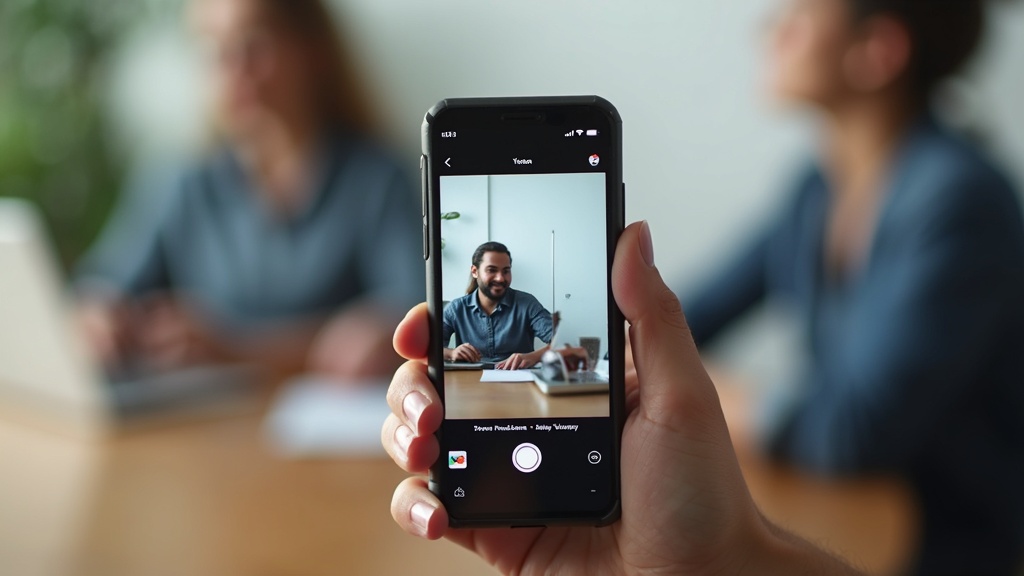
Want to save that amazing Instagram video but don’t want to clutter your device with another app? You’re not alone. Millions of Instagram users encounter captivating content daily, from inspiring Reels and educational IGTV videos to memorable Stories that deserve preservation. Whether it’s a cooking tutorial you want to reference later, a motivational video that speaks to your soul, or a funny clip you’d love to share with friends outside the platform, the need to download Instagram videos without installing additional apps has become increasingly common in 2026.
The good news is that downloading Instagram videos doesn’t require filling your phone’s storage with specialized apps or going through complex registration processes. With the right browser-based tools and techniques, you can quickly save Instagram content directly to your device using methods that work seamlessly across all platforms. This comprehensive guide will walk you through the top 5 ways to download Instagram videos without app installations, ensuring you can preserve your favorite content with just a few clicks.
Browser-Based Online Video Downloaders
Online video downloaders represent the most popular and user-friendly method to download Instagram videos without app installations. These web-based tools operate entirely through your browser, requiring nothing more than an internet connection and the Instagram video URL you wish to save. The beauty of this approach lies in its universal compatibility, working equally well on smartphones, tablets, and desktop computers regardless of operating system.
How Browser-Based Downloaders Work
Browser-based Instagram video downloaders function by analyzing the video URL you provide and extracting the direct media files from Instagram’s servers. When you paste an Instagram video link into these tools, they communicate with Instagram’s content delivery network to identify and retrieve the video file in its original quality. This process typically takes just seconds and delivers the video in popular formats like MP4, ensuring compatibility with virtually any device or media player.
The process is remarkably straightforward: locate the Instagram video you want to save, copy its URL by tapping the three-dot menu and selecting “Copy Link,” then paste this URL into your chosen online downloader. Most reputable services will immediately present you with download options, often including different quality levels to accommodate your storage preferences and internet speed. For users seeking a reliable solution, Instagram to MP4 converters offer professional-grade downloading with excellent format compatibility.
Advantages of Online Downloaders
The primary advantage of using browser-based tools to download Instagram videos without app installations is their zero-friction approach. You don’t need to worry about app permissions, storage space, or keeping software updated. These tools work instantly across all devices and platforms, making them ideal for users who occasionally need to save content without committing to a permanent solution.
Additionally, reputable online downloaders maintain high security standards and don’t require personal information or account registration. This privacy-focused approach appeals to users who prefer to keep their downloading activities discrete. Many of these services also support batch downloads and multiple Instagram content types, including Reels, IGTV videos, and regular posts, providing comprehensive functionality through a single web interface.
Recommended Online Services
Several established online services excel at helping users download Instagram videos without app requirements. SaveFrom.net offers a clean, ad-free interface with reliable performance and support for high-definition downloads. Their service works particularly well for Instagram Reels and IGTV content, providing multiple quality options for each video.
SaveClip represents another excellent choice, featuring an intuitive design that guides users through the download process step-by-step. Their platform supports not only videos but also Instagram photos and Stories, making it a comprehensive solution for content preservation. For users seeking advanced features, platforms like Video Converter MP4 provide enhanced download capabilities with additional format conversion options.
Copy and Paste URL Method
The copy and paste URL method stands as the foundation for most Instagram video downloading techniques. This approach works universally across all devices and forms the basis for accessing Instagram content through external services. Understanding how to properly extract and use Instagram video URLs opens the door to numerous downloading possibilities without requiring any app installations.
Extracting Instagram Video URLs
Obtaining an Instagram video URL requires navigating the platform’s interface to access the sharing options. On mobile devices, open the desired Instagram video and tap the three-dot menu icon typically located in the top-right corner of the post. Select “Copy Link” from the menu that appears, which places the video’s direct URL into your device’s clipboard. This URL contains all the necessary information for external downloaders to locate and retrieve the video file.
Desktop users can access Instagram video URLs through slightly different means. Right-click on the video post and look for sharing or link options, or use Instagram’s web interface to access the same three-dot menu available on mobile devices. The resulting URL will be identical regardless of the device used to obtain it, ensuring consistent functionality across platforms. These URLs remain active and accessible for extended periods, allowing you to save links for later downloading if immediate access isn’t necessary.
Using URLs with Multiple Services
Once you have an Instagram video URL, it becomes a versatile key that unlocks access through various online downloading services. Different platforms may offer unique features or quality options, so having the URL allows you to experiment with multiple services to find the one that best meets your specific needs. Some services excel at preserving original video quality, while others focus on fast download speeds or additional format options.
The URL method also enables you to use the same link across different devices. You might copy a URL on your smartphone but prefer to download the video on your desktop computer with faster internet connectivity. Simply transfer the URL through email, messaging apps, or cloud-based note-taking services to access the same content from any device. This flexibility makes URL-based downloading particularly valuable for users who work across multiple devices throughout their day.
Troubleshooting URL Issues
Occasionally, you might encounter Instagram URLs that don’t work immediately with downloading services. This typically occurs with private accounts, Stories that have expired, or videos that have been deleted since the URL was obtained. When facing these issues, verify that the original Instagram post is still accessible through the platform itself before attempting downloads through external services.
Some downloading services work better with specific types of Instagram content. If a particular URL isn’t working with your chosen downloader, try an alternative service like FastDL which often supports different Instagram content types. Additionally, ensure that your copied URL is complete and hasn’t been truncated during the copy process, as incomplete URLs will prevent successful downloads regardless of the service used.
Screen Recording Techniques
Screen recording provides a foolproof backup method to download Instagram videos without app installations when other techniques fail. Every modern smartphone and computer includes built-in screen recording capabilities, making this approach universally accessible regardless of device specifications or operating system preferences. While screen recording might seem less elegant than direct downloading, it offers unique advantages including the ability to capture content that might be protected or difficult to access through traditional downloading methods.
Mobile Screen Recording Setup
iOS devices include screen recording functionality accessible through the Control Center. Navigate to Settings, then Control Center, and add Screen Recording to your available controls if it’s not already present. Once configured, swipe down from the top-right corner (or up from the bottom on older devices) to access Control Center and tap the screen recording icon. A three-second countdown begins, after which everything displayed on your screen will be recorded until you stop the process.
Android devices offer similar functionality through various methods depending on the device manufacturer. Most modern Android phones include screen recording in the quick settings panel, accessible by swiping down from the top of the screen. Samsung devices feature “Smart Select” in the Edge panel, while Google Pixels include screen recording in the quick settings tiles. Regardless of the specific implementation, the process involves activating screen recording, navigating to Instagram, playing the desired video, and stopping recording once the content is captured.
Desktop Screen Recording Options
Computer users have access to numerous screen recording solutions, both built-in and third-party. Windows 10 and 11 include the Xbox Game Bar, accessible by pressing Windows + G, which can record any application window including web browsers displaying Instagram content. macOS users can utilize QuickTime Player’s screen recording feature or the built-in Screenshot app’s recording capabilities activated through Command + Shift + 5.
For more advanced desktop recording needs, free software like OBS Studio provides professional-level features including custom recording areas, multiple audio sources, and various output formats. These tools excel when you need to download Instagram videos without app installations while maintaining precise control over recording quality and file formats. The flexibility of desktop recording makes it particularly valuable for creating compilations or editing downloaded content immediately after capture.
Optimizing Screen Recording Quality
Achieving high-quality results when using screen recording to download Instagram videos requires attention to several factors. Ensure your device’s screen brightness is set appropriately and that Instagram’s video quality is maximized before beginning recording. Close unnecessary applications to prevent notifications or interruptions that might appear in your recording, and consider using airplane mode with Wi-Fi enabled to minimize distractions.
Audio quality deserves special attention when screen recording Instagram videos. Verify that your device’s volume is set to an appropriate level and consider using headphones to prevent audio feedback if recording in a noisy environment. Some screen recording apps allow you to choose between system audio, microphone input, or both, so select the option that best preserves the original Instagram video’s audio track. For users seeking professional results, video conversion guides can help optimize recorded content for various platforms and purposes.
Featured Solution: Professional Video Conversion Tools
Video Converter MP4 represents a comprehensive solution for users seeking reliable, high-quality Instagram video downloads without app installations. This web-based platform combines the convenience of browser-based downloading with professional-grade features that ensure optimal results for every type of Instagram content.
Key Advantages
- Universal format compatibility ensuring downloads work on any device
- Batch processing capabilities for downloading multiple Instagram videos simultaneously
- High-definition preservation maintaining original video quality
- Cross-platform functionality working seamlessly on mobile and desktop browsers
- No registration requirements providing immediate access to download features
The platform’s Instagram-specific features include automatic quality detection, which ensures you receive the highest resolution available for each video. Advanced users can choose from multiple output formats and quality levels, while beginners benefit from smart defaults that work perfectly for most use cases. The service maintains strict privacy standards, processing downloads without storing user data or requiring personal information.
Integration with other video tools makes this solution particularly valuable for content creators and professionals who need to download Instagram videos without app installations while maintaining workflow efficiency. The platform’s reliability and consistent performance have made it a trusted choice for users across various industries and technical skill levels.
Alternative Browser Methods
Beyond dedicated downloading services, creative browser techniques offer additional ways to download Instagram videos without app installations. These methods leverage built-in browser functionality and developer tools to access Instagram’s underlying video files directly. While these approaches require slightly more technical knowledge, they provide valuable alternatives when traditional downloading services encounter limitations or restrictions.
Developer Tools Approach
Modern web browsers include developer tools that reveal the structure of web pages, including direct links to embedded media files. To access Instagram videos through developer tools, navigate to the desired video in your browser, right-click and select “Inspect Element” or press F12 to open developer tools. Navigate to the Network tab and refresh the page or play the video to capture network requests that include the video file URLs.
This method requires filtering network requests to identify video files, typically showing as MP4 files with significant file sizes. Once identified, you can right-click on the video URL within the developer tools and select “Open in new tab” to access the raw video file for downloading. While this approach demands more technical comfort than other methods, it provides direct access to Instagram’s content delivery network and often yields the highest possible video quality.
Browser Extensions and Bookmarklets
Although the goal is to download Instagram videos without app installations, browser extensions represent a middle ground that doesn’t require traditional app downloads. Extensions like Video Downloader Professional or Helper work within your existing browser to detect and download video content from various platforms including Instagram. These tools activate automatically when Instagram videos are detected, providing one-click downloading functionality.
Bookmarklets offer an even lighter approach, functioning as saved bookmarks that execute JavaScript code to enhance Instagram’s interface with downloading capabilities. Users can find Instagram-specific bookmarklets through communities like Reddit discussions where technical users share and refine these tools. Once saved to your bookmarks bar, these tools activate with a single click while viewing Instagram content, providing seamless downloading integration.
Source Code Analysis Method
For users comfortable with basic HTML knowledge, Instagram’s page source contains direct video URLs that can be extracted manually. Right-click on any Instagram page and select “View Page Source” to access the underlying HTML code. Use your browser’s search function (Ctrl+F or Cmd+F) to look for “.mp4” which will highlight any video file references within the page source.
Instagram typically includes video URLs in JSON data structures within the HTML, so you may need to look for URLs containing “instagram” and ending with “.mp4”. Copy these URLs and paste them directly into your browser’s address bar to access the raw video files for downloading. This method works particularly well for IGTV and Reels content where the video URLs are more readily accessible within the page source. Resources like comprehensive downloading guides provide additional technical insights for advanced users exploring these methods.
Comparison of Download Methods
Understanding the strengths and limitations of each method helps you choose the best approach for your specific needs. Different scenarios call for different downloading strategies, and having multiple options ensures you can adapt to various circumstances and requirements.
| Method | Ease of Use | Quality | Speed | Device Compatibility |
|---|---|---|---|---|
| Online Downloaders | Very Easy | High | Fast | Universal |
| Screen Recording | Easy | Variable | Medium | Universal |
| URL Copy Method | Easy | High | Fast | Universal |
| Developer Tools | Advanced | Maximum | Fast | Desktop Only |
| Browser Extensions | Medium | High | Very Fast | Desktop/Mobile Browsers |
Choosing the Right Method
For most users seeking to download Instagram videos without app installations, online downloaders provide the optimal balance of simplicity and effectiveness. These services work immediately without setup, support all devices, and maintain high video quality while requiring minimal technical knowledge. Screen recording serves as an excellent backup method, particularly useful for Stories or live content that might not be accessible through traditional downloading services.
Advanced users who frequently download Instagram content might benefit from browser extensions or developer tools approaches, which offer more control and potentially higher quality results. The URL copy method works universally across all scenarios and should be mastered by anyone regularly saving Instagram content, as it forms the foundation for most other downloading techniques.
Consider your specific use case when selecting a method. Content creators might prioritize maximum quality through developer tools, while casual users saving occasional videos for personal use will find online downloaders perfectly adequate. The key is having multiple methods in your toolkit, ensuring you can adapt when one approach encounters limitations or restrictions. Experimenting with different approaches helps you develop preferences based on your device capabilities, technical comfort level, and quality requirements.
Whether you’re preserving memories, collecting educational content, or building a reference library, these five methods ensure you can successfully download Instagram videos without app installations across any device or platform. Start downloading your favorite Instagram content today with these proven, app-free methods and never worry about losing access to valuable video content again.





Facebook Story Video Download – Professional Insights and Best Practices 2026
Ever seen a Facebook Story you wanted to save before it disappeared after 24 hours? You are not alone. With...

The Only Facebook Video Downloader You Need to Know in 2026
Are you looking for a reliable way to save Facebook videos for offline viewing, content reuse, or archiving, without compromising...


How to Download Instagram Videos by Link
Have you ever found an Instagram video you wanted to save instantly, without installing apps or risking your privacy? In...


Video DL Online Guide, Smart Techniques and Safe Downloads 2026
Have you ever wanted to save a Facebook video instantly, without installing risky software or losing quality?In 2026, video consumption...


HD Video Download HD – Complete Guide to High-Quality Video Downloads 2026
Are you frustrated with low-quality video downloads that look pixelated and blurry on your screen? In 2026, streaming has become...


Download Story Insta – Smart Tips and Safe Techniques to get Insta videos in 2026
Have you ever watched an Instagram story and wished you could save it before it disappears forever?Instagram stories remain one...


Facebook MP4 Downloader Online Guide, Creative Tips and Techniques 2026
Are you looking for a fast, safe, and reliable way to save Facebook videos in MP4 format without installing software?In...


A Guide to Using a Futures Contract Calculator to Unlock Profit Potential
As a trader, have you ever found yourself unsure about the potential profit or loss of a futures trading contract?...


A Timeless Way to Display Custom Funded Certificate Plaque
You worked hard to earn that certificate. Whether it represents funding approval, a financial milestone, a business achievement, or a...


Leveraging YouTube as a Game-Changer for Film Production Promotion
Filmmakers have a powerful ally in their quest to promote their productions: YouTube. As one of the largest video-sharing platforms...

 General2 years ago
Step-by-Step Guide: How to download Facebook Videos as MP4
- General8 months ago
Master Facebook Video Download by Link: Essential Guide 2026
- General8 months ago
Facebook Link Download Guide – Tips, Tools, and Techniques to save FB link videos 2026
- Web Resource3 years ago
Enhancing Your Video Web Content for Online Audiences
- General9 months ago
9 Best Facebook Video Downloader App Choices for 2026
- General9 months ago
7 Essential Free Online FB Video Downloader Tools for 2026
- Web Resource7 months ago
Facebook Story Video Download – Professional Insights and Best Practices 2026
- Web Resource8 months ago
Video DL Online Guide, Smart Techniques and Safe Downloads 2026